

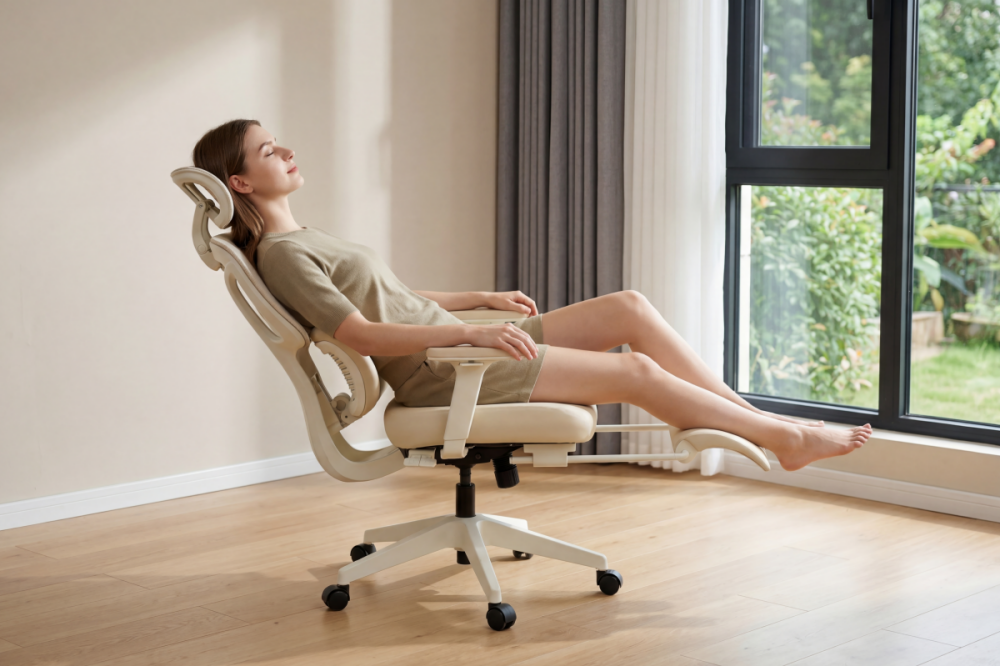
After a long day of work, it’s tempting to lean back in your ergonomic chair and close your eyes “just for a minute.” But is it actually safe to sleep in an ergonomic chair? And more importantly—should you?
The short answer: yes, you can sleep in an ergonomic chair—but only for short periods. While modern ergonomic office chairs are designed for comfort and support, they are not meant to replace a bed for полноцен restful sleep.
In this guide, we’ll break down the benefits, risks, and best practices so you can decide when (and how) chair sleeping makes sense.
Why Do People Sleep in Ergonomic Chairs?
With the rise of remote work and long desk hours, more people are relying on their office setup for quick rest. There are several common reasons:
- Long work sessions or deadlines
- Midday fatigue and need for a quick reset
- Limited space (small apartments, home offices)
- Health conditions like acid reflux or snoring
- Convenience—no need to leave your workspace
Modern ergonomic office chairs with lumbar support and recline functions make this even more appealing. But convenience doesn’t always equal health.

Benefits of Sleeping in an Ergonomic Chair
When used correctly, sleeping in an ergonomic chair—especially for short naps—can actually offer some real advantages.
1. Power Naps Improve Productivity
Short naps (around 20–30 minutes) can boost:
- Alertness
- Memory
- Reaction time
Studies even show that short naps can significantly improve performance and reduce fatigue.
This makes an ergonomic chair nap ideal for:
- Remote workers
- Students
- Gamers
- Busy professionals
2. Semi-Upright Position Can Help Certain Conditions
Sleeping slightly upright may help:
- Acid reflux (GERD)
- Mild sleep apnea
- Snoring
Gravity helps keep airways open and prevents stomach acid from rising.
That’s why some people intentionally rest in a reclining ergonomic chair instead of lying flat.
3. Reduced Lower Back Pressure (When Reclined Properly)
A properly adjusted ergonomic chair supports:
- Natural spinal curvature
- Lumbar alignment
- Reduced disc pressure
A slight recline (around 100°–120°) can reduce strain compared to sitting upright.
4. Convenience and Mental Reset
Sometimes, the biggest benefit is simple:
You don’t have to leave your desk.
A quick nap in your chair can act as a mental reset, helping you return to work refreshed without disrupting your workflow.

Risks of Sleeping in an Ergonomic Chair
While short naps can be helpful, there are clear downsides—especially if it becomes a habit.
1. Poor Sleep Quality
Your body needs deep sleep and REM cycles for full recovery.
Sleeping upright:
- Limits movement
- Disrupts sleep cycles
- Prevents deep restorative sleep
Result? You may wake up feeling tired—even after hours of “sleep.”
2. Neck and Shoulder Strain
Without proper support:
- Your head may tilt forward or sideways
- Neck muscles stay under tension
- You wake up with stiffness or pain
This is one of the most common complaints from chair sleeping.
3. Poor Blood Circulation
Sitting for long periods can:
- Reduce blood flow
- Cause numbness or tingling
- Increase risk of swelling or clotting issues
In rare cases, prolonged sitting may contribute to deep vein thrombosis (DVT).
4. Back Pain and Spinal Misalignment
Even with an ergonomic chair:
- Gravity compresses the spine differently when seated
- Prolonged static posture causes stiffness
- Poor positioning can flatten natural spinal curves
Over time, this may lead to chronic discomfort.
5. Safety Risks (Yes, Really)
Reclining too far in a rolling chair can:
- Shift your center of gravity
- Increase risk of tipping or rolling
It’s rare—but it happens.
Ergonomic Chair vs Bed: Which Is Better for Sleep?
Let’s be clear: an ergonomic chair is not a replacement for a bed.
| Factor | Ergonomic Chair | Bed |
|---|---|---|
| Sleep quality | Light sleep | Deep + REM sleep |
| Body support | Partial | Full-body support |
| Circulation | Limited | Natural |
| Best use | Short naps | Full-night sleep |
👉 Bottom line:
Use your chair for short naps only, not overnight sleep.
How to Sleep Safely in an Ergonomic Chair
If you do plan to nap in your chair, setup matters a lot.
1. Find the Right Recline Angle
The ideal angle is:
- 100°–120° for light naps
- Up to 135° for deeper relaxation
2. Adjust Lumbar Support
- Keep your lower back supported
- Maintain natural spine curve
- Sit fully back in the chair
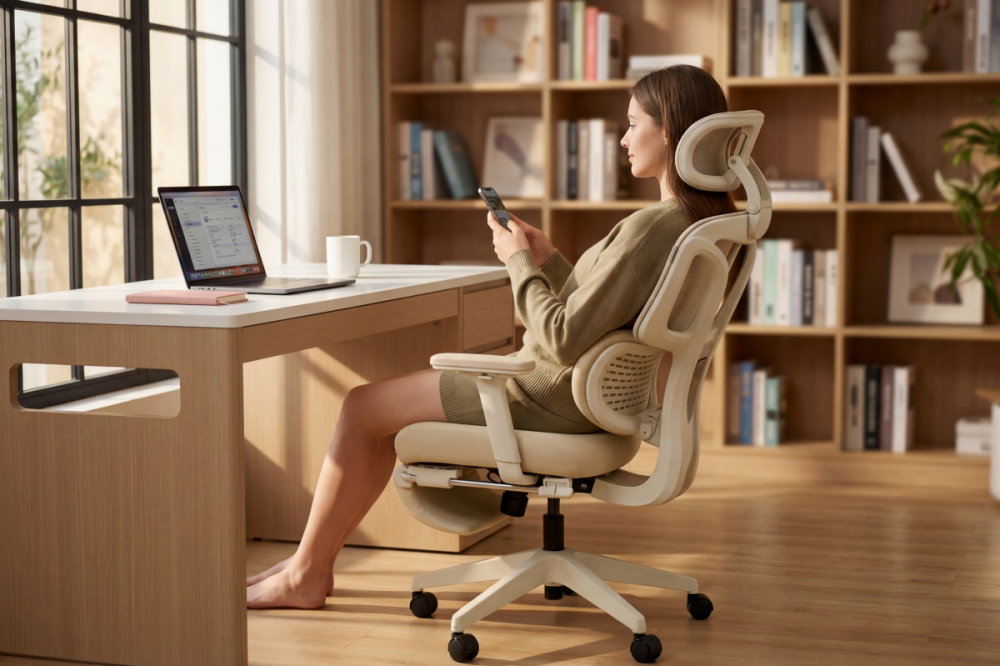
This is where a high-quality ergonomic chair makes a difference.
3. Use the Headrest Correctly
- Support the base of your skull
- Avoid pushing your head forward
- Prevent “head bobbing”
4. Keep Your Feet Supported
- Feet flat on the floor or footrest
- Avoid dangling legs
- Don’t cross legs
This improves circulation and comfort.
5. Limit Nap Time
The sweet spot:
👉 15–30 minutes
Longer naps increase the risk of:
- Stiffness
- Grogginess
- Circulation issues
6. Move After You Wake Up
After your nap:
- Stand up
- Stretch
- Walk around
Movement restores blood flow and prevents stiffness.
When Is Sleeping in an Ergonomic Chair a Good Idea?
There are situations where it actually makes sense:
✔ Midday power naps at work
✔ Quick recovery during long study sessions
✔ Temporary relief for acid reflux
✔ Post-surgery or mobility limitations
In these cases, a well-designed ergonomic chair can be a useful short-term solution.
This reduces spinal pressure while keeping you stable.
When Should You Avoid It?
Avoid sleeping in a chair if:
- You’re doing it every night
- You wake up with pain or stiffness
- You already have circulation issues
- You need deep, restorative sleep
In these cases, your body is telling you:
👉 You need a proper bed—not a chair.
Final Thoughts: Is It Safe to Sleep in an Ergonomic Chair?
Sleeping in an ergonomic chair isn’t inherently bad—but it’s not ideal either.
✔ Safe for:
- Short naps (15–30 minutes)
- Occasional use
- Properly adjusted posture
✖ Not recommended for:
- Overnight sleep
- Daily habit
- Long periods without movement
The key is balance.
A high-quality ergonomic chair can support your body while you work—and even help you recharge briefly. But for real recovery, nothing replaces a good mattress.
Bonus: What Makes a Chair Better for Napping?
If you’re choosing an ergonomic chair for both work and short naps, look for:
- Adjustable lumbar support
- Recline function (100°–135°)
- Headrest support
- Breathable materials
- Stable base (anti-tip design)
These features help minimize risks and maximize comfort.


Hinterlasse einen Kommentar
Diese Website ist durch hCaptcha geschützt und es gelten die allgemeinen Geschäftsbedingungen und Datenschutzbestimmungen von hCaptcha.