



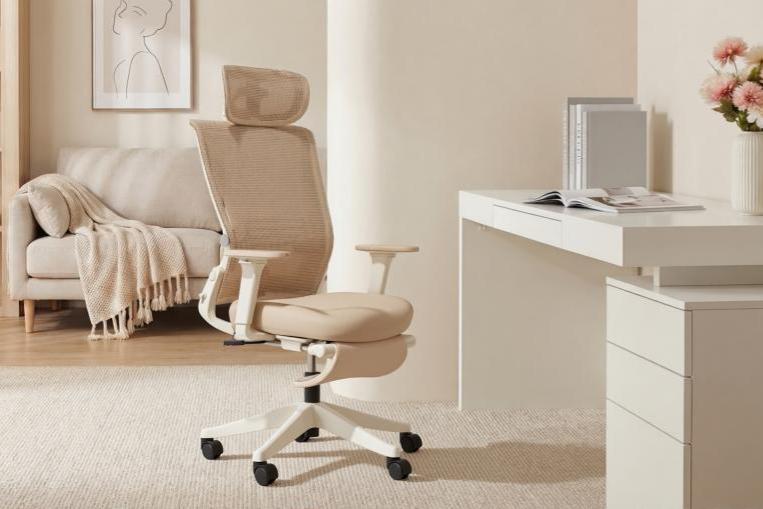
Spring is the season of fresh starts. As the weather warms up and daylight lasts longer, many people take the opportunity to clean, reorganize, and refresh their homes. But while closets and kitchens often get the most attention during spring cleaning, one important space is frequently overlooked: your workspace.
If you spend hours every day sitting at a desk—whether you work remotely or in a traditional office—your chair plays a major role in your daily comfort and health. Upgrading to a high-quality ergonomic office chair can make a significant difference in your posture, productivity, and overall well-being.
A spring workspace reset is the perfect time to rethink your setup and invest in a chair designed to support long hours of focused work.
Why Your Office Chair Matters More Than You Think
Many professionals in the United States spend six to eight hours a day sitting at a desk, and some spend even longer. Unfortunately, sitting for extended periods in a poorly designed chair can lead to several health issues, including:
-
Lower back pain
-
Neck and shoulder tension
-
Poor posture
-
Fatigue and reduced concentration
-
Long-term spinal strain
Traditional office chairs often lack proper support for the spine. Over time, this can lead to slouching and unnecessary pressure on the lower back.
A well-designed ergonomic desk chair is built to support the natural curves of your body, helping maintain healthy posture while reducing stress on muscles and joints.
If your current chair feels uncomfortable or leaves you feeling sore at the end of the day, it may be time for an upgrade.
Signs It’s Time to Replace Your Office Chair
Not sure whether you need a new chair? Here are some common signs your current chair may no longer be supporting you properly.
You Experience Frequent Back Pain
If you often feel stiffness or discomfort in your lower back after working, your chair may not provide adequate lumbar support.
Your Chair Has Limited Adjustability
The best ergonomic office chairs offer multiple adjustment options so users can tailor the chair to their body. If your chair only adjusts in height, it may not provide the flexibility needed for proper ergonomic support.
You Constantly Shift Positions
If you find yourself constantly shifting or standing up to relieve pressure, your chair may not be designed for long sitting sessions.
Your Workspace Feels Outdated
Spring is the perfect opportunity to refresh your home office environment—and upgrading your chair is one of the most impactful changes you can make.
What Makes the Best Ergonomic Office Chair?
When choosing an ergonomic chair, several features can dramatically improve comfort and long-term support.
Adjustable Lumbar Support
Proper lumbar support helps maintain the natural curve of your lower spine, preventing slouching and reducing strain on your back.
Breathable Materials
Many modern ergonomic chairs feature mesh backrests, which promote airflow and keep you cool during long work sessions.
Adjustable Armrests
Armrests reduce pressure on your shoulders and neck. High-quality ergonomic chairs offer multi-directional adjustments so users can find the most comfortable position.
Reclining Mechanism
A reclining backrest allows you to shift positions throughout the day. This helps reduce fatigue and improves circulation during long sitting sessions.
Headrest Support
Headrests provide additional neck support, especially when leaning back or taking short breaks between tasks.

Refresh Your Workspace This Spring
A workspace reset doesn’t require a full renovation. Small improvements can make a big difference in how comfortable and productive your work environment feels.
Simple upgrades include:
-
Organizing your desk
-
Adjusting your monitor height
-
Improving lighting
-
Adding plants for a more comfortable atmosphere
-
Replacing an outdated office chair with an ergonomic one
Among these changes, upgrading your chair often provides the greatest improvement in daily comfort.
Recommended Ergonomic Chairs for Your Spring Reset
If you're planning a spring workspace upgrade, choosing the right ergonomic chair can make a major difference in your daily comfort and productivity. Welax designs chairs specifically for modern professionals who spend long hours at their desks.
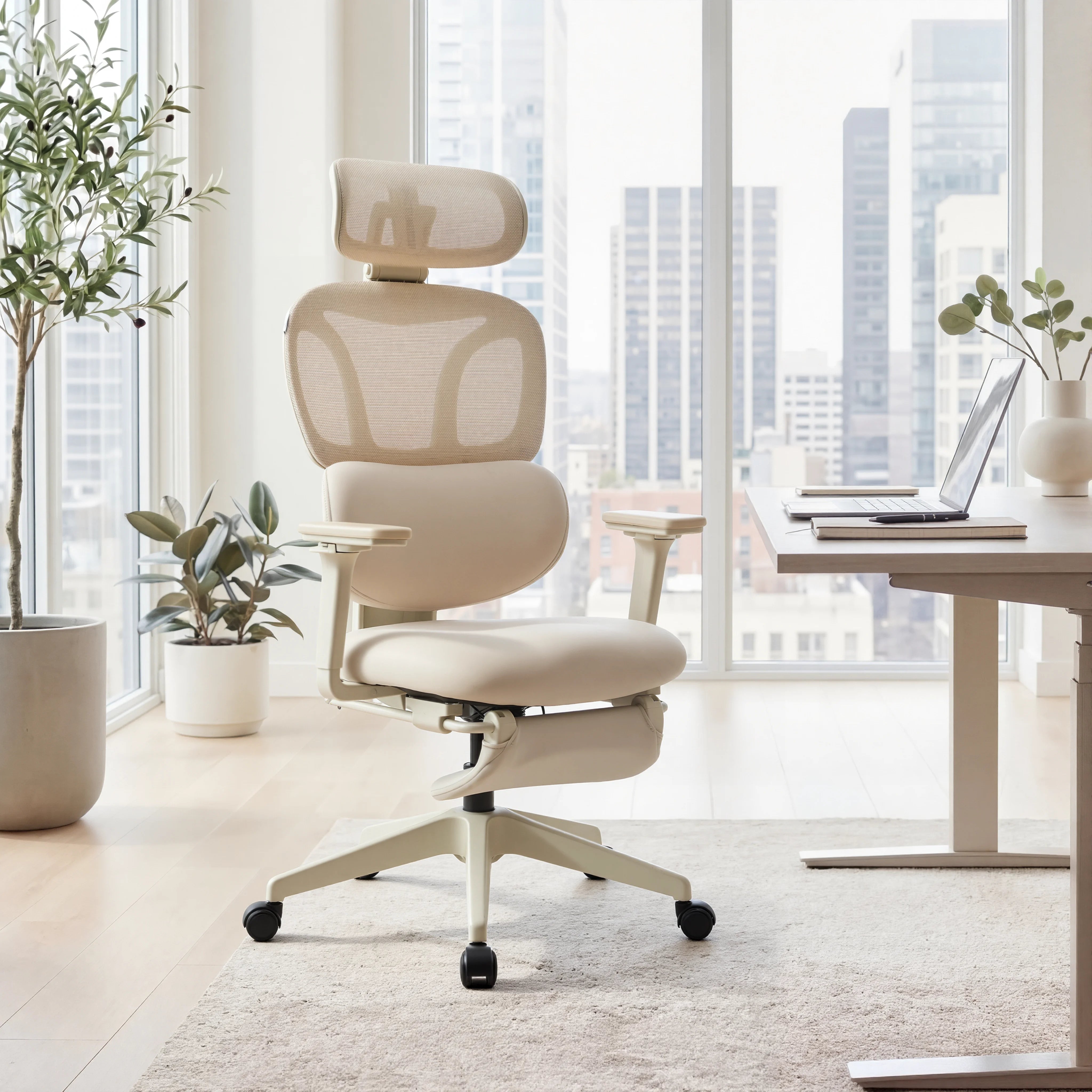
Two popular choices for home offices and professional workspaces are the Welax S3 Pro Ergonomic Chair and the Welax S4 Ergonomic Chair.
Welax S3 Pro Ergonomic Chair
The Welax S3 Pro Ergonomic Chair is designed for professionals who want a balanced combination of ergonomic support, adjustability, and modern style for their home office setup.
One of its standout features is the 4D adjustable armrest system, which allows users to adjust the armrests in four directions: height, depth, width, and angle. This flexibility helps reduce pressure on the shoulders and wrists, especially for people who spend long hours typing or using a mouse.
The S3 Pro also includes a 3D adjustable headrest, allowing you to modify both the height and angle of the headrest to support your neck and head during different working positions.
For relaxation during long work sessions, the chair features a recline function of up to 116°, allowing you to lean back comfortably when taking a break or switching to a more relaxed posture.
Additional highlights include:
-
Breathable mesh backrest for improved airflow
-
Ergonomic lumbar support to maintain healthy spinal alignment
-
Smooth seat height adjustment for different desk setups
The Welax S3 Pro is available in four modern color options, making it easy to match a variety of workspace styles—from minimalist home offices to contemporary studio setups.
For remote workers, designers, programmers, and professionals who spend long hours sitting, the S3 Pro provides the ergonomic support needed for all-day comfort.

Welax S4 Ergonomic Chair
For users who want even greater adjustability and flexibility, the Welax S4 Ergonomic Chair offers a more advanced ergonomic experience designed for intensive daily use.
A key feature of the S4 is its 6D adjustable armrests, which provide an exceptional level of customization. These armrests can be adjusted in multiple directions, including height, width, depth, angle, and additional fine-tuning movements. This allows users to find the most natural arm position, helping reduce strain on the shoulders, elbows, and wrists.
The chair also features a 2D adjustable headrest, enabling users to modify the height and tilt angle to better support the neck during long work sessions.
For maximum relaxation, the S4 offers a recline angle of up to 130°, significantly deeper than most standard office chairs. This wider recline range allows users to switch easily between focused work posture and a more relaxed sitting position during breaks.
Other ergonomic highlights include:
-
Breathable mesh backrest for temperature regulation
-
Integrated lumbar support to maintain healthy posture
-
Smooth reclining mechanism with stable support
-
Durable frame designed for daily office use
Another advantage of the S4 is its design versatility. The chair is available in five color options, making it easy to match different workspace aesthetics—from modern tech offices to creative studios and home workspaces.
For professionals looking for a premium ergonomic office chair with maximum adjustability, the Welax S4 is an excellent choice for long-term comfort and productivity.

Benefits of Upgrading to an Ergonomic Chair
Investing in the best ergonomic chair for your home office offers benefits that go far beyond comfort.
Better Posture
Ergonomic chairs encourage a natural sitting position that supports proper spinal alignment.
Reduced Back and Neck Pain
Proper lumbar and neck support reduces pressure on muscles and joints.
Higher Productivity
When you're comfortable, it's easier to focus on work without constant distractions from discomfort.
Long-Term Health Support
Over time, better ergonomic support can reduce strain on your back and improve overall workplace wellness.
How to Set Up Your Ergonomic Workspace
Even the best chair works best when combined with a properly arranged workspace.
Follow these simple ergonomic tips:
-
Position your monitor at eye level
-
Keep your keyboard and mouse within easy reach
-
Adjust your chair height so elbows rest at a 90° angle
-
Make sure your lower back is supported by the chair's lumbar support
Small adjustments can dramatically improve comfort throughout the day.
Final Thoughts: Make Your Spring Reset Count
Spring is the perfect time to refresh your home and your habits. While cleaning your workspace is a great start, upgrading your office chair can make an even bigger impact on your daily comfort and productivity.
A well-designed ergonomic chair helps protect your posture, reduce fatigue, and support your body through long hours of focused work.
If you're ready for a true workspace upgrade this season, the Welax S3 Pro and Welax S4 offer the adjustability, comfort, and modern design needed for today's professionals.
This spring, don’t just clean your workspace.
Upgrade the chair that supports you every single day.


Laisser un commentaire
Ce site est protégé par hCaptcha, et la Politique de confidentialité et les Conditions de service de hCaptcha s’appliquent.