




How to Choose the Best Ergonomic Office Chair for You: A Complete Guide to Body Fit and Feature Priorities
What makes a good ergonomic office chair? With so many price points, support systems, and adjustment features available, it is easy to associate a longer feature list with better quality. Yet a chair with extensive adjustments may not suit everyone, and a higher price does not necessarily mean a better sitting experience.
Finding the best ergonomic office chair for your needs involves evaluating body dimensions, lumbar and back support, posture adjustments, seat materials, and everyday work requirements. Understanding how these factors affect sitting posture and comfort helps you make a more informed choice between different chairs.
What Makes an Ergonomic Office Chair Worth Buying?
Ergonomic office chairs are designed to accommodate different body proportions and working postures through their dimensions, support structures, and adjustable components.
Three factors can help determine whether a chair is worth buying: whether its basic dimensions fit your body, whether its support system accommodates changes in posture, and whether frequently used adjustments are easy to operate.
The number of features can indicate how adjustable a chair is, but it does not determine its practical value on its own. For people who spend several hours a day working at a computer, the chair's adjustment range and ease of use are often more valuable than additional features they rarely need.

Body Fit: How Should You Evaluate Seat Height, Depth, and Width?
Body dimensions are among the most fundamental ergonomic office chair buying criteria. Seat height, depth, and width directly affect whether you can sit naturally against the backrest while keeping your legs properly supported.
Seat Height Should Match Your Leg Length and Desk Height
A suitable seat height should allow both feet to rest firmly on the floor or a footrest while keeping your thighs in a relatively natural position.
If the seat is too high, you may need to slide forward to place your feet on the floor, causing your lower back to lose contact with the backrest. A seat that is too low may bend your legs excessively and change your position relative to the desk.
When shopping for a chair, check its minimum and maximum seat heights rather than simply confirming that it has a height adjustment mechanism.
Why Is Seat Depth Adjustment Worth Considering?
Seat depth determines how much of your thighs are supported and whether you can sit naturally against the backrest.
For people with shorter legs, a seat that is too deep may place pressure on the backs of the knees. For those with longer legs, a seat that is too shallow may not provide enough thigh support.
This makes seat depth adjustment particularly useful for accommodating different leg lengths. Check the chair's actual seat depth adjustment range to determine whether it can accommodate your body proportions.
How Can You Check Seat Depth When Trying a Chair?
Sit with your hips naturally positioned against the backrest. Check whether there is an appropriate amount of space between the front edge of the seat cushion and the backs of your knees, while ensuring your thighs receive adequate support.
Seat width should also be considered alongside hip dimensions and armrest spacing. A wider seat is not necessarily more comfortable, particularly for people with narrower shoulders, as excessively wide armrest spacing can make it harder to rest the arms naturally.
Lumbar and Back Support: Which Designs Offer Practical Value?
Lumbar support is an important part of an ergonomic office chair, but stronger support is not always better. Its primary purpose is to support the natural inward curve of the lower back.
What Is the Difference Between Fixed and Adaptive Lumbar Support?
Fixed lumbar supports rely on a predetermined shape to provide support. Their construction is relatively straightforward, but the quality of the fit depends on the user's height, torso proportions, and sitting posture.
Adjustable lumbar supports allow users to change the support position or depth, making it easier to accommodate different lower-back contours.
Adaptive lumbar support responds to changes in body position. For example, when moving from an upright posture into a slight recline, a dynamic mechanism can help maintain contact between the lower back and the backrest.
When buying a chair, check whether the lumbar support fits your lower back rather than judging the design solely by whether it is fixed or adaptive.
What Should You Prioritize in a Recline Mechanism?
Throughout the workday, people move between typing, reading, attending meetings, and taking short breaks. The backrest therefore needs to allow natural changes in posture.
A multi-position locking mechanism allows the backrest to remain fixed at different angles, while a dynamic recline mechanism places greater emphasis on freedom of movement between positions.
For users who frequently change their sitting posture, multi-position recline can be particularly practical. It is also worth checking whether the recline resistance suits your body weight and whether the backrest remains stable in commonly used positions.
Armrests, Seat Materials, and Headrests: Which Features Are Worth Paying More For?
The value of additional features depends on how you work. For people who mainly use a computer, armrests and seat materials are generally used more frequently than features intended primarily for relaxation.
How Can Multi-Directional Adjustable Armrests Improve the Sitting Experience?
Armrest height, lateral spacing, and forward-and-back positioning affect how the arms are supported and how closely the chair can be positioned to the desk.
Multi-directional adjustable armrests can accommodate different postures during typing, mouse use, and reclining.
For people with narrower shoulders or those who frequently change their working position, the inward adjustment range is particularly important. More adjustment directions do not automatically mean a better fit; the actual adjustment range and stability after adjustment matter just as much.
How Should You Choose Between Mesh and Foam Cushions?
Breathable mesh generally promotes airflow, making it suitable for warmer office environments. Foam cushions, on the other hand, often provide a softer, more cushioned feel.
The support provided by either material also depends on mesh tension, foam resilience, and seat construction. When trying a chair, check whether the front edge of the seat creates localized pressure and whether the seat maintains stable support over time.
A headrest is more useful for people who frequently recline to read or rest. For those who mainly work in an upright position, it may be a secondary feature used less often.
How Should You Choose an Ergonomic Office Chair for Different Work Settings?
An office chair with the same features may offer different practical benefits depending on the working environment. Before making a purchase, consider the activities for which the chair will primarily be used.
|
Work Setting |
Features to Prioritize |
Main Buying Consideration |
|
Long hours of computer work |
Seat depth, lumbar support, armrests, recline |
Can the chair maintain support while allowing convenient posture changes? |
|
Home office |
Chair dimensions, armrest adjustments, ease of movement |
Does it fit the desk height and available space? |
|
Shared office chair |
Seat height, seat depth, backrest height |
Does the adjustment range accommodate different body types? |
|
Combined work and relaxation |
Multi-position recline, headrest, lumbar and back support |
Does the chair provide stable support in different postures? |
Is an Ergonomic Chair With More Features Always Worth Buying?
A feature's value depends on whether it addresses an actual need.
If the chair's basic dimensions are unsuitable, additional armrest adjustments or a greater recline angle are unlikely to compensate for the poor fit.
For buyers working with a limited budget, it is advisable to prioritize seat height, seat depth, lumbar and back support, and frequently used posture adjustments before considering other features.
What Else Should You Check When Buying Online?
Beyond the product's feature descriptions, review its dimensions, actual adjustment ranges, weight capacity, and recommended body sizes.
Return policies, warranty coverage, and after-sales support are also worth checking, particularly when trying the chair in person is not possible. Understanding these details before buying can help reduce the risk of choosing a chair that does not fit properly.
How Does the Welax S9 Pro Accommodate Different Office Work Needs?
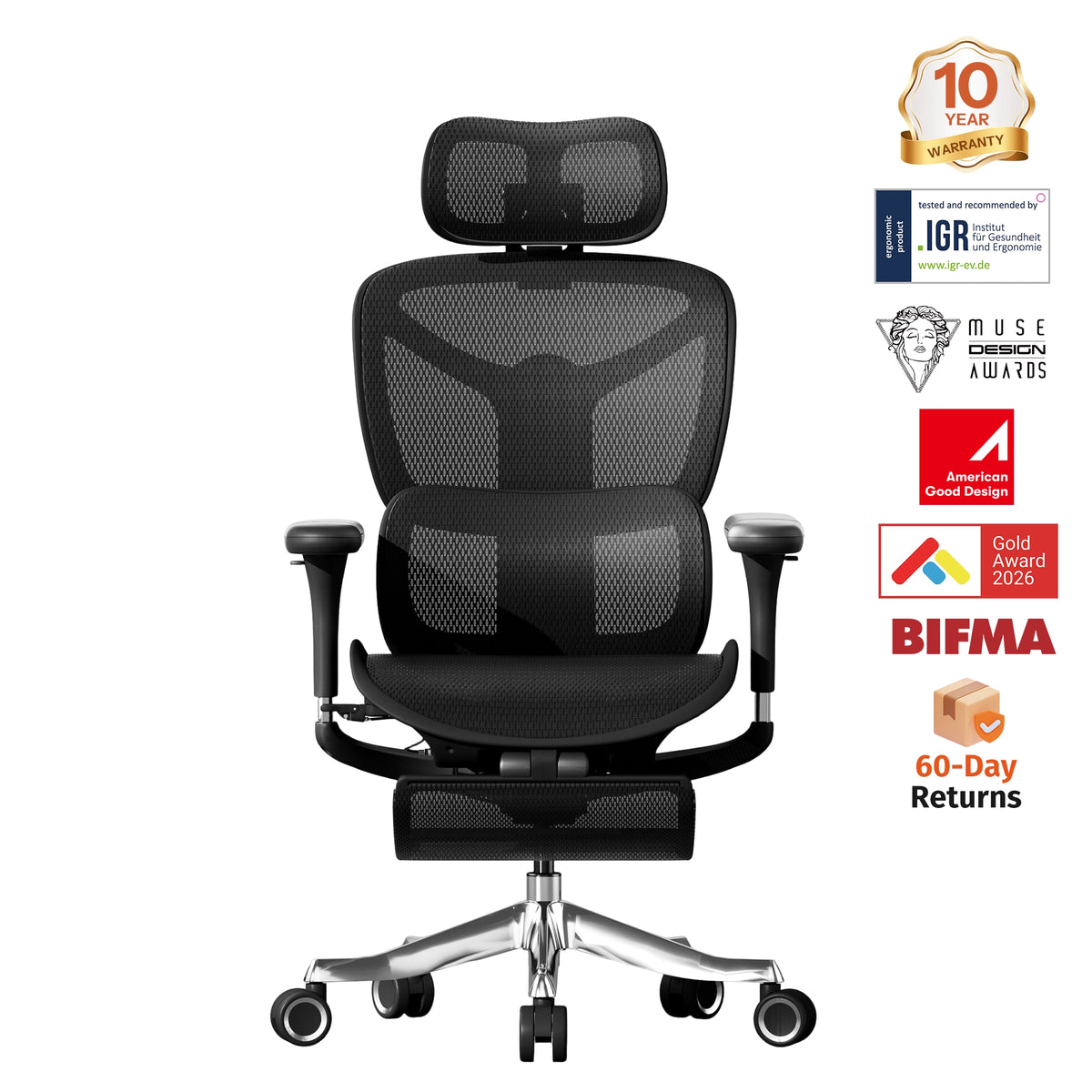
Based on the buying criteria discussed above, the Welax S9 Pro combines body-fit adjustments, dynamic lumbar and back support, and multi-directional adjustability. These features make it an option worth considering for long hours of computer work and frequent posture changes.
In terms of basic fit, the S9 Pro offers 2.2 inches of seat depth adjustment, allowing thigh support to be adjusted according to leg length. Its backrest provides five height settings across an adjustment range of approximately 1.38 inches, helping accommodate different torso proportions.
The chair uses an adaptive lumbar support system that responds to changes in body position. It also allows fine forward-and-back adjustment and locking, helping users find a suitable level of support for different sitting postures.
For transitions between working and resting positions, the S9 Pro offers three recline angles: 105°, 116°, and 130°. Its 6D armrests support height, rotation, lateral, and forward-and-back adjustments and can move with the reclining motion. The 3D headrest also provides height and angle adjustments.
The S9 Pro brings seat height, seat depth, and backrest recline adjustments together in a one-hand control system. Combined with its breathable mesh seat and backrest, this makes it easier to adjust the chair for different working positions.
These designs address the main selection criteria discussed earlier. However, whether the chair is suitable for an individual still depends on body dimensions, desk setup, and personal working habits.
Explore the Welax S9 Pro Ergonomic Office Chair's Features
Conclusion: How Can You Find the Ergonomic Office Chair That Fits You Best?
Choosing an ergonomic office chair worth buying starts with body fit, lumbar and back support, posture adjustments, and everyday work requirements rather than price or feature count alone.
Seat height, depth, and width determine basic fit. Lumbar support and recline mechanisms affect support in different postures, while armrests, seat materials, and headrests should be selected according to individual working habits.
The Welax S9 Pro offers several adjustment options designed to accommodate different needs, but no ergonomic chair can fully replace regular posture changes and getting up to move. A chair that suits your body proportions, workspace, and daily habits is a more worthwhile choice to consider.

Leave a comment
This site is protected by hCaptcha and the hCaptcha Privacy Policy and Terms of Service apply.