



What’s the Difference Between 2D, 3D, 4D, and 6D Armrests?
When shopping for ergonomic chairs, you will often see specifications like "2D," "3D," "4D," or "6D" listed for the armrests. Many users do not fully grasp what these terms mean; in reality, they describe a practical aspect of the chair: how the armrests can be adjusted.

Properly adjusted armrests provide better support for your forearms, preventing your shoulders from having to remain raised, splayed outward, or thrust forward for extended periods to accommodate the armrests.
What exactly does the "D" in the armrest specification stand for?
In short: The "D" generally refers to the number of adjustable directions or dimensions. For instance, movements such as vertical height adjustment, forward/backward sliding, lateral (left/right) shifting, and rotation of the armrest pad may each be counted by the manufacturer as a single dimension of adjustability.
However, there is no universally standardized industry definition for 2D, 3D, 4D, or 6D armrests. Two chairs with the same "D" rating might offer different control mechanisms and ranges of functionality.
Comparison of 2D, 3D, 4D, and 6D Armrests
|
Armrest Type |
Common Adjustments |
What to Check |
Typical Use |
|---|---|---|---|
|
2D armrests |
Usually height adjustment plus one additional movement such as forward/backward adjustment or rotation |
Check what the second adjustment actually is and how much range it provides |
Basic office work and relatively consistent sitting positions |
|
3D armrests |
Commonly height, forward/backward movement, and rotation, although some designs include width adjustment instead |
Check whether the armrests can move closer to the body and accommodate your shoulder width |
Everyday keyboard and mouse work with more flexible forearm support |
|
4D armrests |
Typically height, forward/backward, inward/outward, and rotational adjustment |
Check adjustment range, locking stability, and whether the armrests allow the chair to move close to the desk |
Long work sessions and users who change sitting positions regularly |
|
6D armrests |
Usually add extra rotation, folding, pivoting, or multi-joint movement to a 4D design |
Check what the extra adjustments actually do and whether they match your work habits |
Mixed use such as office work, gaming, reading, and reclining |
These descriptions should be treated as general references rather than fixed definitions. Two armrests carrying the same “4D” label can still feel very different depending on their actual range and mechanical design.
Height Adjustment Is the Foundation of a Good Armrest
Whether an armrest is 2D or 6D, height adjustment is usually the most basic ergonomic function.
If the armrests are too high, the shoulders may be pushed upward even though the forearms are supported. If they are too low, the forearms may barely make contact with the pads, reducing the benefit of the support.
A suitable height allows the shoulders to stay relaxed while the forearms rest naturally on the armrest pads. There is no need to force the elbows into one exact angle, since desk height, upper-arm length, and keyboard position all affect the final posture.
2D Armrests Can Be Enough for Basic Office Work
2D armrests usually combine height adjustment with one additional movement, such as forward and backward adjustment or pad rotation.
For users who spend most of the day typing and using a mouse without changing posture very often, this may already cover the essential requirements. The practical value of 2D armrests depends less on the number “2” and more on whether the available adjustment range suits the user.
A stable 2D system with a useful range can be more practical than a higher-dimensional armrest with limited travel or loose joints.
3D and 4D Armrests Offer More Control Over Shoulder Width and Arm Position
Once an armrest can move inward, outward, or rotate, it becomes easier to accommodate differences in shoulder width and working position.
Users with narrower shoulders may find widely spaced armrests difficult to use because the elbows have to move outward to reach them. Wider users may experience the opposite problem if the armrests sit too close to the torso.
Width adjustment or inward movement allows the forearms to rest closer to their natural position.
With 3D Armrests, Check What the Third Adjustment Actually Is
Because 3D armrests are not standardized, the third movement may differ between products.
Some models provide height, depth, and rotation. Others replace rotation with lateral adjustment. These combinations serve slightly different purposes. Width adjustment has a more direct effect on shoulder-width compatibility, while rotation can help align the armrest pad with the forearm during keyboard or mouse use.
When comparing 3D armrests, the actual adjustment direction is therefore more informative than the label alone.
4D Armrests Provide a More Complete Adjustment System
4D armrests commonly combine height, forward and backward movement, inward and outward adjustment, and pad rotation.
Together, these adjustments provide more flexibility for matching different shoulder widths, desk setups, and arm positions. This is one reason 4D armrests are common on mid-range and premium ergonomic office chairs.
Lateral adjustment affects how close the armrests can sit to the body. Forward and backward adjustment changes where the forearms are supported and can also influence how close the chair can move to the desk. Rotation helps align the pad with the direction of the forearm.
For many users, this combination already provides a broad range of practical adjustment.
What Do 6D Armrests Add?
6D armrests usually build on a 4D system by adding extra pivot points or movement patterns. Depending on the product, the armrest may fold, rotate through a wider angle, pivot at an additional joint, or allow different parts of the armrest to move independently.

The main advantage is a wider range of possible forearm positions.
This can be useful when the chair is used for more than conventional desk work. During gaming, reading, watching content, or reclining, the position of the arms can change considerably compared with upright keyboard use.
At the same time, 6D armrests are not automatically better for every user. If most of the day is spent working at a desk with a keyboard and mouse, a well-designed set of 4D armrests may already provide all the adjustment that is realistically needed.
Adjustment Range and Stability Matter More Than the Number of Dimensions
Two sets of 4D armrests can perform very differently even if their specifications look similar.
One design may only move a small distance inward and outward, while another provides enough travel to noticeably change the spacing between the armrests. For users with narrower or broader shoulders, that difference can matter more than the number printed in the specification sheet.
The minimum and maximum height, inward adjustment range, forward and backward travel, and stability after adjustment are all worth checking.
The armrest pad itself also matters. It should provide enough surface area to support the forearm without feeling excessively narrow. At the same time, a soft pad is not automatically better if the underlying structure feels unstable or moves too easily once adjusted.
Looking for 6D Armrests? Consider the Welax S9 Pro
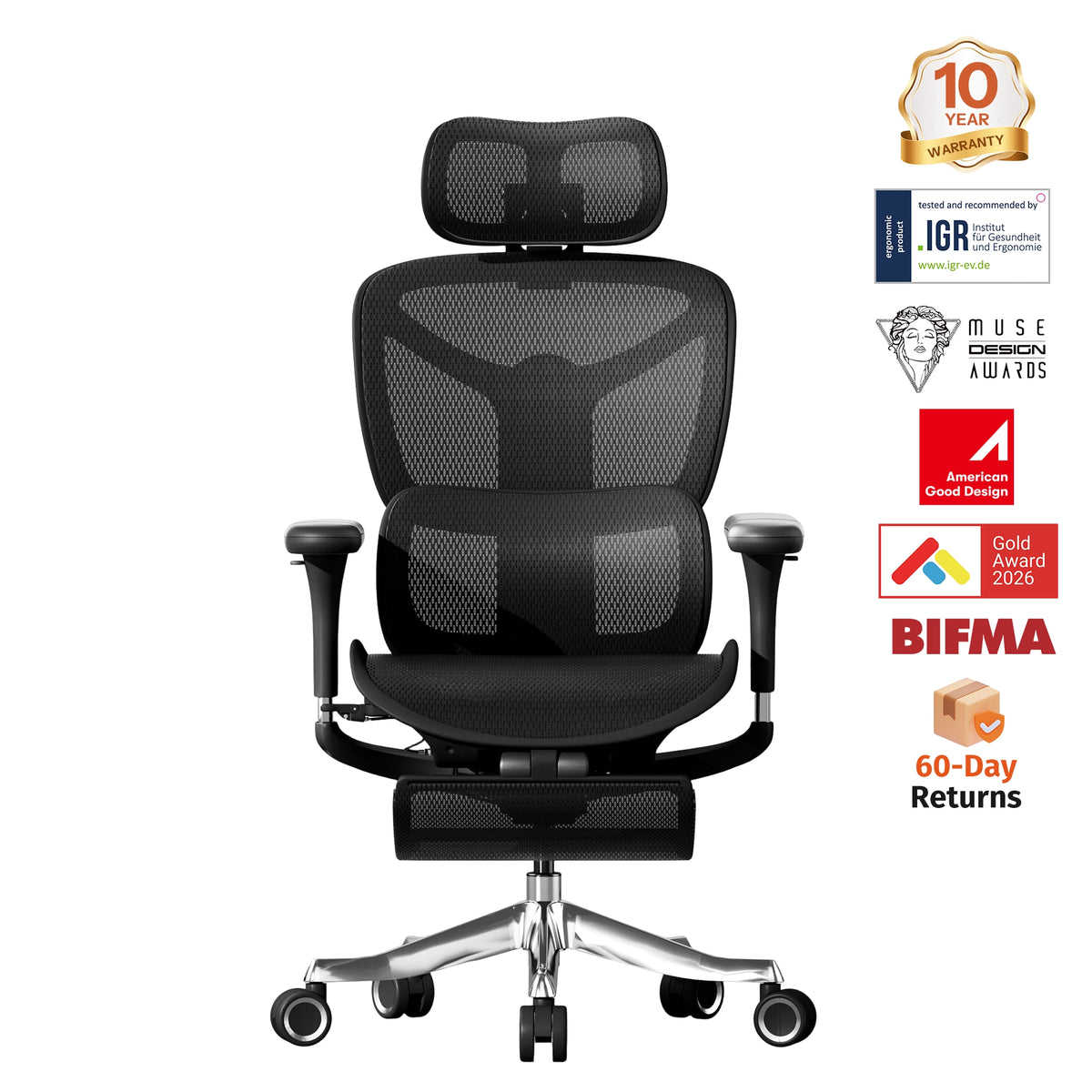
If you are specifically looking for an ergonomic office chair with 6D armrests, the Welax S9 Pro is worth considering. Its 6D Bionic Armrests are designed to support a wider range of arm positions, making them more adaptable when switching between focused desk work, gaming, reading, and reclining.
Beyond the armrests, the S9 Pro also includes adjustable seat depth, multiple recline positions, adaptive lumbar support, and a 3D adjustable headrest. These features work together to give users more control over how the chair fits different sitting positions.
For users who want more than basic armrest adjustment, the S9 Pro offers a more flexible setup without relying only on the “6D” label itself—the real value is the broader range of positions the armrests can support.
View the Welax S9 Pro Ergonomic Office Chair
Armrests Should Be Considered Together With the Desk and Keyboard Position
Armrests do not work independently from the rest of the workstation.
If the desk is too high, the keyboard sits too far forward, or the mouse is positioned far to the side, even highly adjustable armrests may not fully correct the setup.
A more practical approach is to set the chair height first, then adjust the armrests according to the desk and input devices. The forearms should receive useful support while the shoulders remain relaxed, and the armrests should not prevent the chair from moving close enough to the desk.
This is why adjustable armrests should be evaluated together with desk height, desk thickness, keyboard placement, and shoulder width rather than as an isolated chair feature.
Conclusion: What’s the Difference Between 2D, 3D, 4D, and 6D Armrests?
So, what’s the difference between 2D, 3D, 4D, and 6D armrests? The main differences are the number of adjustment directions, the available range of motion, and the variety of arm positions each design can accommodate.
2D armrests mainly cover basic height and positioning needs. 3D armrests add another adjustment that may help with shoulder width or forearm angle. 4D armrests typically offer height, depth, width, and rotation, making them a relatively complete option for everyday ergonomic office use. 6D armrests add more joints or movement patterns for users who frequently switch between working, gaming, reading, and reclining.
The highest number is not always the best choice. A stable set of 4D armrests with a useful adjustment range may be more suitable for office work than a 6D design with additional movements that are rarely used. The most important question is whether the armrests can support the forearms naturally while fitting the user’s shoulder width, desk height, and working position.
FAQ 1: Are 4D armrests better than 3D armrests?
Not always, but 4D armrests usually offer more flexibility. In addition to height and forward/backward adjustment, they often allow inward/outward movement and rotation. This makes them easier to adapt to different shoulder widths and desk setups. However, a well-designed 3D armrest with a wide adjustment range can still be a good choice for users with simpler needs.
FAQ 2: Are 6D armrests worth paying extra for?
6D armrests can be useful if you frequently switch between office work, gaming, reading, and reclining. The additional joints may allow the armrests to move into positions that 4D models cannot reach. For most desk-based office work, however, a stable set of 4D armrests is often sufficient. The extra cost is only worthwhile if you are likely to use the additional adjustments.
FAQ 3: What armrest type is best for people with narrow shoulders?
For users with narrow shoulders, inward adjustment is especially important. The armrests should be able to move close enough to the body so the elbows do not need to flare outward. In this case, 4D armrests are often a good option because they commonly include lateral adjustment. The actual minimum distance between the armrests matters more than the “4D” label itself.
FAQ 4: Can adjustable armrests prevent a chair from fitting under a desk?
Yes. Some armrests remain too high or extend too far forward even at their lowest or most retracted position. This can prevent the chair from moving close to the desk. Before buying, check the minimum armrest height, forward/backward adjustment range, and the clearance under your desk, especially if your desk has a thick tabletop or drawer underneath.
FAQ 5: What should I check besides the number of armrest adjustments?
Look at the actual adjustment range, stability, pad size, and how easily the armrests hold their position. A higher number of adjustment directions does not automatically mean better ergonomics. The best adjustable armrests are those that fit your shoulder width, support your forearms comfortably, and work well with your desk height and keyboard position.


Leave a comment
This site is protected by hCaptcha and the hCaptcha Privacy Policy and Terms of Service apply.